
Inviting coaches
Manage coaches at /coach/coaches. Two roles:
- Admin — can do everything (manage families, calendars, all events, invite other coaches). Sees every group.
- Editor — can only edit events on the groups you check. Used for group-specific assistant coaches.
Both roles sign in the same way: type their email at /coach,
click the magic link in the email, they’re in.
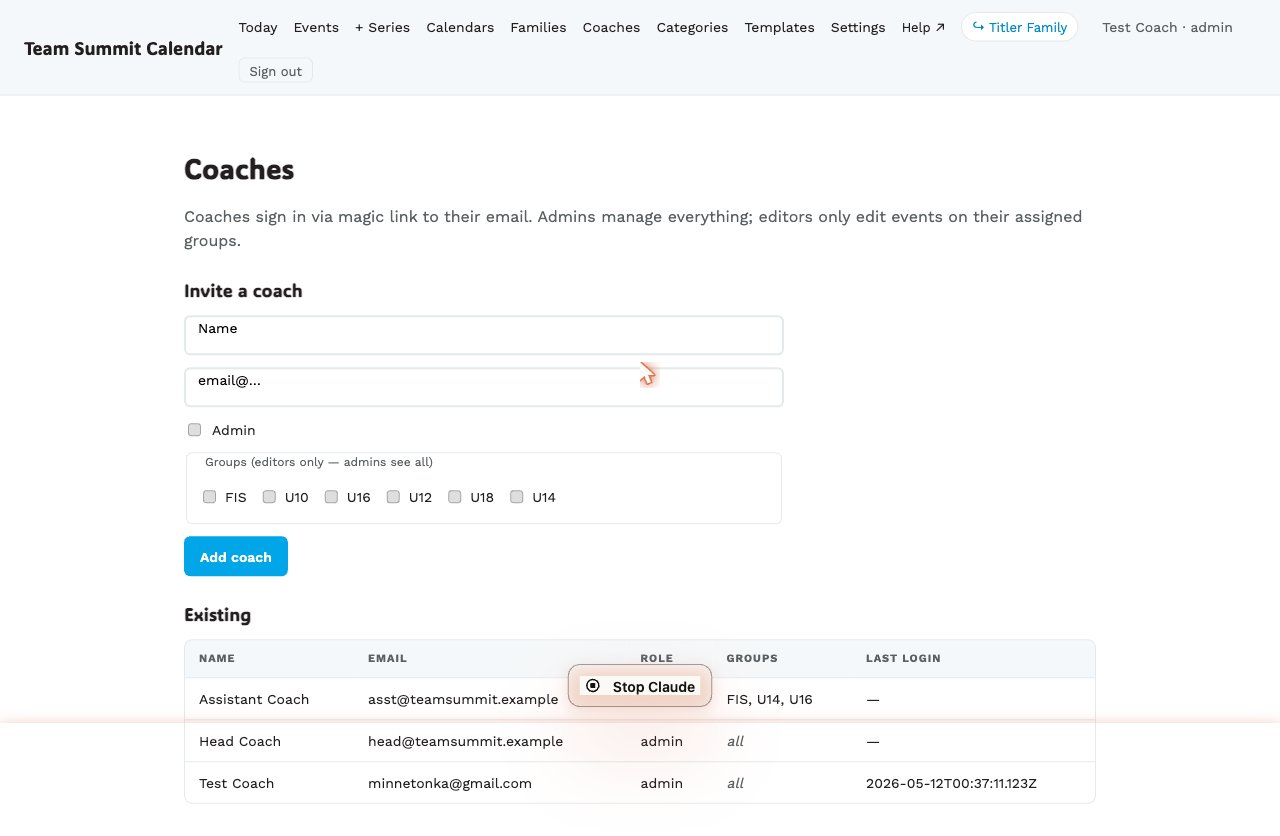
Step by step — invite a coach
- Go to
/coach/coaches. - Under Invite a coach, fill in Name and Email.
- Check Admin if they should have full access. Skip this for group-specific editors.
- For editors, check one or more groups they should be allowed to edit. (Admins see all groups regardless.)
- Leave Send the invite now ticked, and Add coach.
That’s the whole job. The coach gets an email from the club, with you as the reply-to, that says who added them and what their role is, tells them to open it on a computer (the coach tool is built for a laptop; the phone comes later for the on-the-hill screen), and carries one button: Sign in and get started. The link signs them in — no separate magic-link dance the first time — and lands them on Getting started, the checklist that sets up their notifications and walks them through each screen on practice events.
If they don’t use it, they get a reminder on day 3. The link lasts seven days; on day 7, if it was never used, you get an email saying so, with a link back here to resend.
Untick Send the invite now to add the coach without emailing them — their row shows Not invited · Send invite until you do.
The Status column
Each row tells the story so far:
| Status | Meaning | What to do |
|---|---|---|
| Not invited · Send invite | Added, never emailed | Send the invite |
| Invited Sep 4 · awaiting sign-in · Resend | Emailed, link unused | Wait; the reminder goes out on day 3 |
| Invite expired Sep 11 · Resend | Seven days passed unused | Check the email address, then Resend |
| Signed in Sep 6 · 40% onboarded | In, part-way through Getting started | Nothing — nudge them in person if it stalls |
| Done ✓ | Every step on their checklist is ticked | Nothing |
Rows that need your hand sort to the top. The line above the table sums it up (“9 of 16 fully set up · 3 never signed in · 2 not invited”), and Invite everyone not yet invited sends the outstanding ones in one click. A resend replaces the earlier link — only the newest works.
Support accounts
An admin who is not a coach — whoever runs the tool for the club — can be marked support on their row. A support account signs in and does everything an admin does, but is hidden from this list by default (a “Show support accounts” toggle brings it back), is never invited in bulk, and appears in no roster: not the schedule grid, not message recipients, not the practice squad, not the staff counts.
When they sign in later
After the first time, coaches sign in the normal way:
- They visit
/coachand type their email. - We send them a magic link (single-use, valid 15 minutes).
- They click it; we set a session cookie; they’re signed in.
If they say “I never got the email”, first check the email matches exactly (case-insensitive but no typos) — magic-link requests for an unknown email silently no-op for privacy.
Editor vs admin in practice
| Action | Admin | Editor |
|---|---|---|
| Create events | ✓ | only on their groups |
| Edit events | ✓ | only on their groups |
| Mark attendance / coach notes | ✓ | only on their groups |
| Post to the channel chat | ✓ | only on their groups |
| See the families list | ✓ | ✗ |
| Add / edit families | ✓ | ✗ |
| Add calendars or groups | ✓ | ✗ |
| Invite other coaches | ✓ | ✗ |
The intent: editors are the day-of helpers; admins are the team’s operational owners.
What happens when you add or change a coach
- A row is created or updated. Adding with Send the invite now ticked also emails the coach; nothing else sends mail.
- The coach can sign in from the invite link, or the next time they request a magic link.
- For existing coaches, role/group changes take effect immediately — admin status and group access are re-read from the database on every request, so nobody has to sign out and back in.
Removing a coach
Each row on /coach/coaches has Deactivate (reversible — use this) and
Delete (only allowed when the coach has no history attached). Deactivated
coaches are hidden behind a “Show N deactivated” toggle and can be
reactivated.
Removing all of an editor’s group assignments also neutralises them, if you’d rather keep the account live.