
Adding a coach note
A coach note is a short message attached to an event. It shows on every family’s page next to that event card with a 📌 emoji.
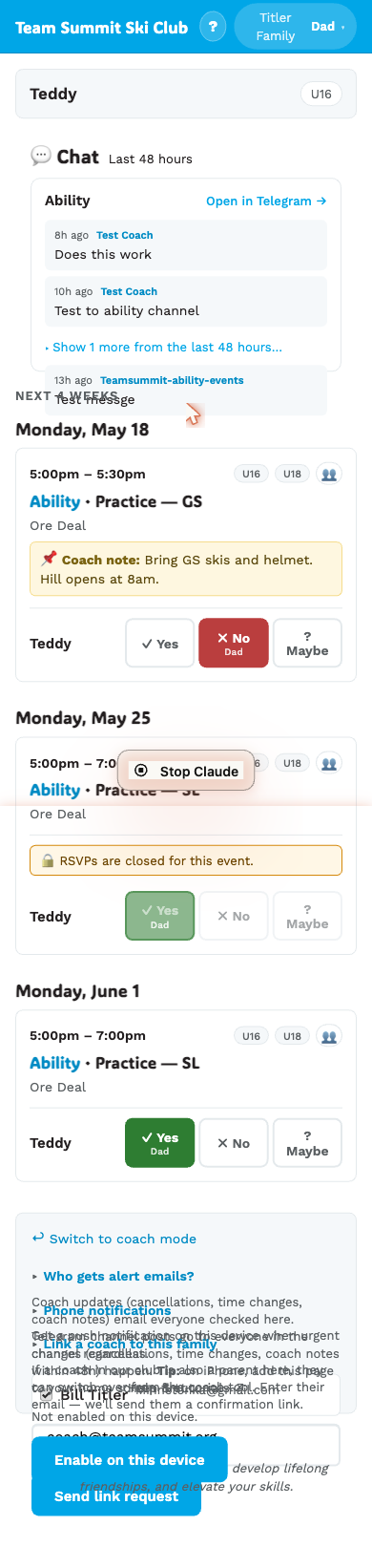
How to add or edit one
- On
/coach/today, tap an event to expand it. - Scroll to 📌 Coach note.
- The textarea is pre-filled with the current note if one exists, so you can tweak in place rather than retyping.
- Edit the text. The Save button is disabled until your text differs from what’s saved.
- Tap Save note (or Update note if one already exists).
You can also edit a coach note from /coach/events/<id>/edit (Edit event
details → Coach note section). Same field, both reachable.
What happens when you save
- The note appears on every family page for this event within seconds.
- If the event is within 48 hours:
- Every family with push notifications enabled gets a phone notification.
- The bot posts the note to the event’s Telegram channel.
- If the event is >48 hours out:
- The note is included in the next 6pm daily digest email.
- No phone push and no Telegram post.
The within-48h banner is amber:
⚠ Within 48h — saving fires immediate emails & a Telegram post.(The wording says “emails” for historical reasons — emails on within-48h are actually retired; saves now fire phone push + Telegram only.)
Clearing a note
Use the edit-event page — empty its note box and save; the label there reads “Leave blank to clear”.
You can’t clear a note from /coach/today: the Save button stays disabled
while the box is empty, so there’s nothing to submit.