
How families see chat
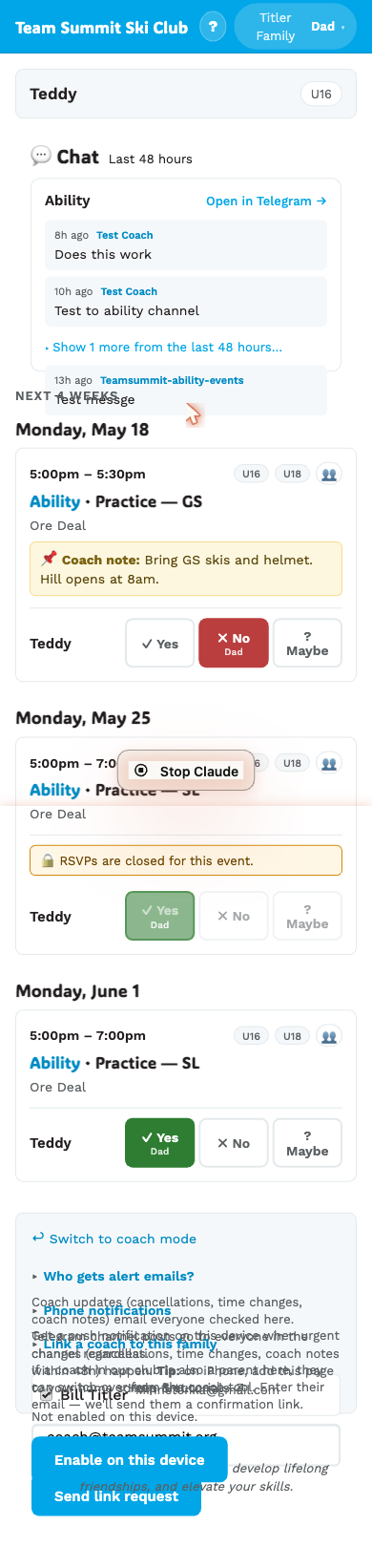
When a family opens their page (/<their-slug>), they see a Chat
section near the top, one card per Telegram channel their athletes’ groups
are wired to. Channels are per group, so a family in both U16 and FIS
sees two cards even though both groups sit on the Ability calendar. A group
with no invite link saved produces no card.
What’s in the chat panel
For each calendar:
- The calendar name + a “Open in Telegram →” link (uses the invite URL the admin configured).
- The last 2 channel posts visible always.
- A “Show N more from the last 48 hours…” toggle for the rest.
What counts as a “channel post”
Anything any admin (including the bot) puts in the channel:
- Auto-posts from event changes (cancellation, time change, etc.).
- Auto-posts from
/coach/todaychannel-chat form. - Manual messages posted in the Telegram app by a coach.
What’s excluded:
- Family quick-messages — these do not trigger a push (avoiding “everyone gets pinged because one family is out sick”). They are still posted to the channel and so appear in every family’s chat card for it: quiet, not private.
- DMs to the bot — the bot doesn’t read or relay these.
Privacy
Channel posts are visible to anyone in any family in the calendar. Don’t post anything you wouldn’t want all families to see.
The Telegram channel itself is private (admin-broadcast). The invite link is the access secret — share it carefully.
On the bot identity
When the bot auto-posts (event change), the senderName comes back as
“Team Summit Bot” in the family chat panel. When a coach manually
posts (via the Telegram app or via /coach/today), it shows their
admin display name.