
Create a series
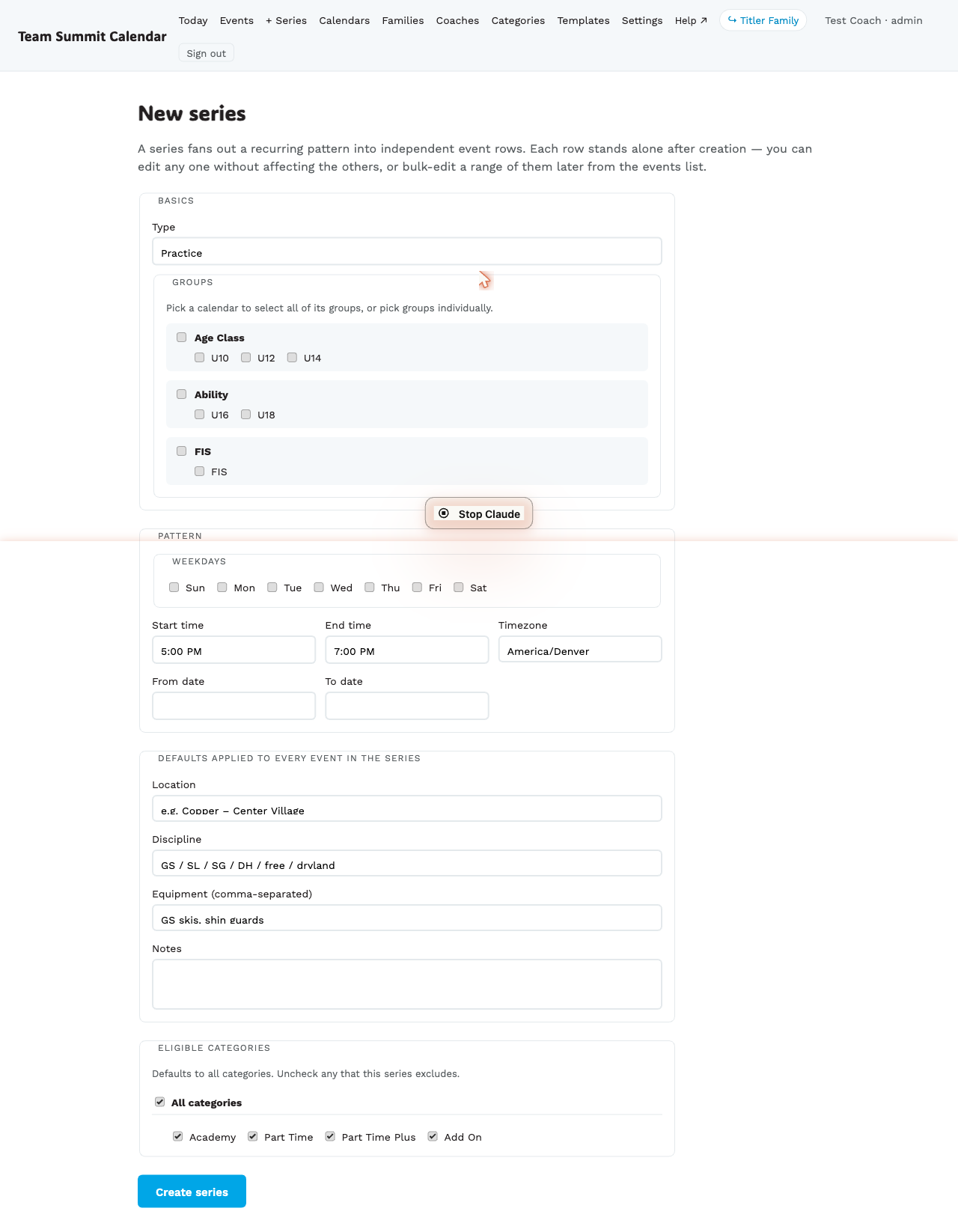
A series fans out a recurring pattern into independent event rows. Each row stands alone after creation — you can edit any one without affecting the others, or bulk-edit a range later from the events list.
When to use
- “Every Tuesday and Thursday, 5–7pm, for 8 weeks.”
- “Saturday races every weekend in January and February.”
- A multi-day race: NorAm, December 14–17. Set the range, tap Every day, then edit the individual days for the disciplines.
- Anything you’d otherwise create one at a time more than 3-4 times.
Step by step
- From the top nav, + New ▾ → Series (or + New series on the events page and in the mobile More sheet).
- Set the start date. The end date follows it automatically — change it if the season runs longer.
- Pick the days of the week the event recurs on. Above the seven boxes, Every day / Weekends / Mon–Fri / Clear set them in one tap — a four-day race series is “Every day” plus the two dates, not seven ticks. They are a shortcut, not a mode: tick and untick individual days afterwards as usual.
- Pick the start time and end time for each session — or tick All day and skip them. Races and No Training days arrive with All day already ticked.
- (Optional) set the Timezone. It defaults to the club’s own zone; change it for a block of sessions that isn’t in Mountain time.
- Fill in event details: type, groups, venue, location, discipline, and for a race series the category, gender, races-that-day and registration link. These apply to every event in the series, so you set them once rather than editing each race afterwards. Equipment is one item per line.
- (Optional) Skip dates — the form lists every date the pattern produces under Included dates (N of M). Untick the ones to exclude (school holidays, etc.).
- The form runs in the same order as the single-event form — type, discipline, race details, groups, then when, then where, then the extras — so nothing has to be re-found when you move between the two.
- There is no per-date time override — every event in the series gets the same start and end time. Create the odd one out separately.
- Tap Create series at the bottom. The count of what you’ll get is in the Included dates (N of M) heading above.
After creation
Series-created events are normal events. They each have their own ical
UID and audit history. The only difference from a manually-created event
is that they share a series_id, which lets the bulk-edit tool group
them together later.
I want to change just one of them
Edit it like any other event from /coach/events. Series doesn’t lock
its members.
I want to change all of them
Use bulk-edit — see Bulk-edit a range.