
Edit a single event
The full edit form lives at /coach/events/<id>/edit. Reach it via:
/coach/events→ tap Edit → on the event row./coach/today→ expand the event card → Edit event details →.- A push notification or family-page deep-link.
Past events are locked. Once an event’s end_local has passed,
the row on /coach/events shows a “View” link instead of “Edit” and
renders dimmed with a “Completed” badge. PATCH, cancel, uncancel, and
delete all return 400 for past events at the API level. If you need
to correct historical data, contact the developer.
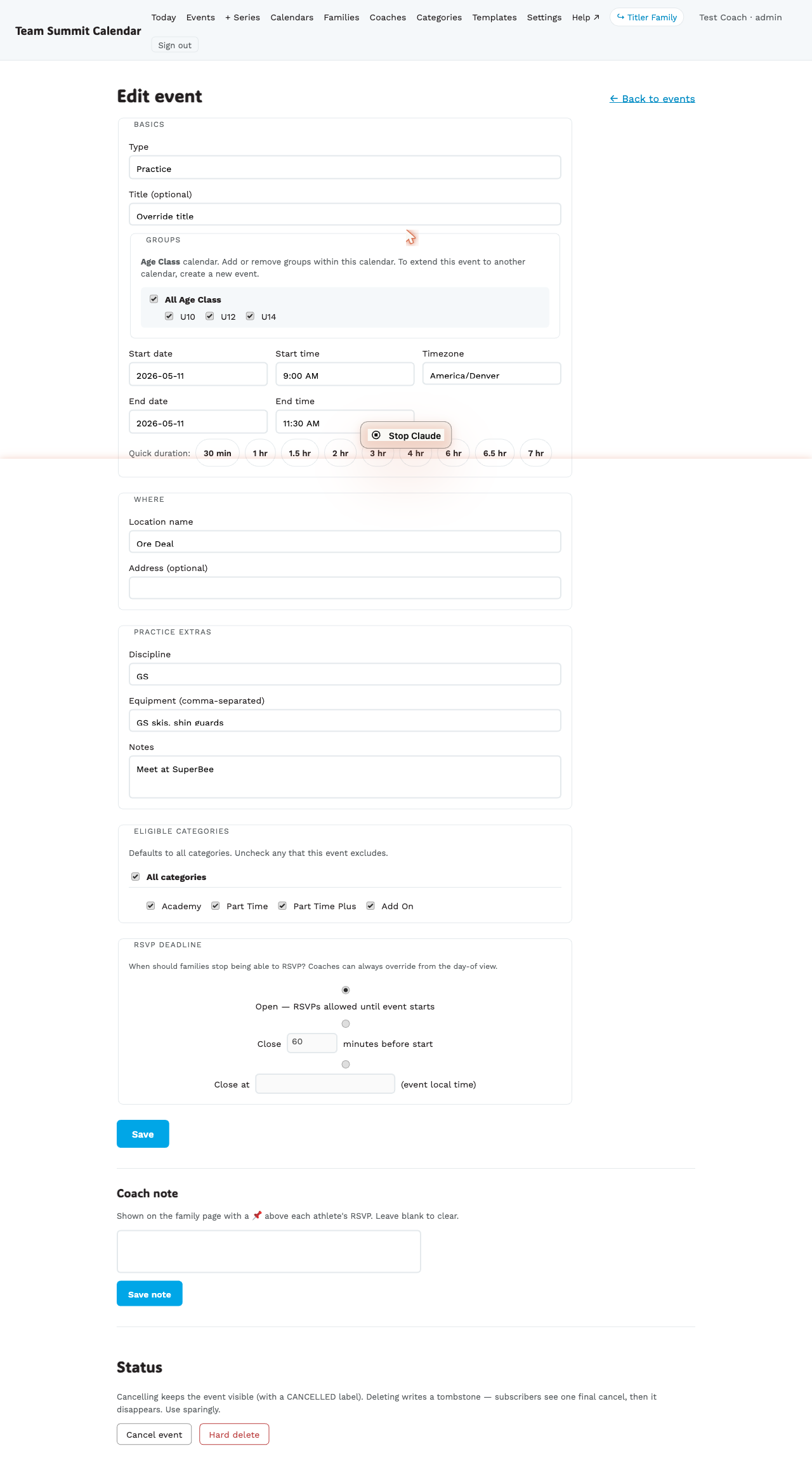
What you can change
- Type, then discipline, then the optional title — in that order down the form
- Start & end time, timezone, or All day (see OFF days)
- Groups attached (must stay within the original calendar)
- Location, address
- Equipment list
- Eligible categories (which athlete categories a session is aimed at — it does not hide the event; see Categories)
- Notes (visible on family page)
- Race fields if type = race — Category, Gender, how many races that day (older races may also still carry hill / meeting time / race notes, which are shown but no longer editable)
- Coach note (📌)
- RSVP deadline
- Status — cancel, un-cancel, hard delete (see Cancel / un-cancel / delete)
The coach note moves up when the event is close
When the event is within 48h, the Coach note section auto-jumps above the form so you don’t have to scroll past everything to add a last-minute note.
Saving takes you to the event page, with a green “Changes saved.” banner at the top. You land on the event you just edited, so the confirmation is the page itself — no hunting for a flash message.
What fans out when you save
The system classifies the change and decides who/how to notify:
| Kind of change | Within 48h | >48h |
|---|---|---|
| Time / location / discipline | Push + Telegram | Daily digest at 6pm |
| Coach note | Push + Telegram | Daily digest |
| Equipment / event notes only | No notification | Banner only |
| Cancellation | Push + Telegram (urgent) | Daily digest |
So light edits (fixing a typo in equipment) don’t blast every family. Time / cancellation / coach-note edits do.