
Link your own family
If you’re both a coach and a parent in the program, linking your accounts lets you flip between coach mode and your own family page in one tap.
Linking grants navigation only. Your coach permissions are unchanged; this isn’t a way to grant yourself extra access.
Step by step
- Open /coach/settings → Coach-as-parent linking.
- Under Request a new link, type your family’s slug (e.g.
smiths). - Tap Send confirmation email.
- We email every parent contact on file for that family with a link.
- Any one of those parents clicking the link confirms the connection.
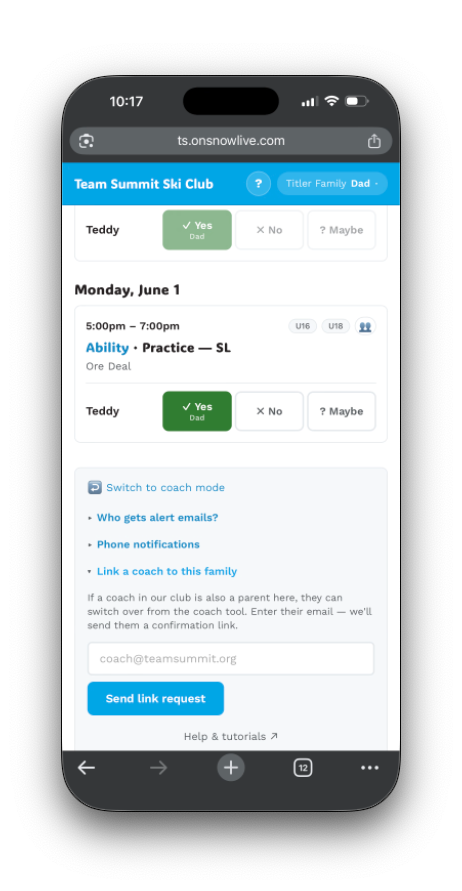
After linking
Your coach top nav — or the ≡ More sheet on a phone — gets a chip:
↪ Smith FamilyTap to jump straight into the family page as if you were a parent. Your coach session is preserved — close the family page, return to /coach, and you’re still a coach.
On the family page
You’ll see a switch-back link in the family page settings:
↩ Switch to coach modeUnlinking
There’s no unlink button in the tool yet. Ask an admin if you need one removed.
Multiple links
Some coaches have kids in more than one family unit (separated parents, nanny relationships, etc.). The chip list shows all linked families; each requires its own confirmation flow.
Privacy
The family side has no visibility that a coach is linked. To parents, the family page looks identical whether or not a coach has a link.